

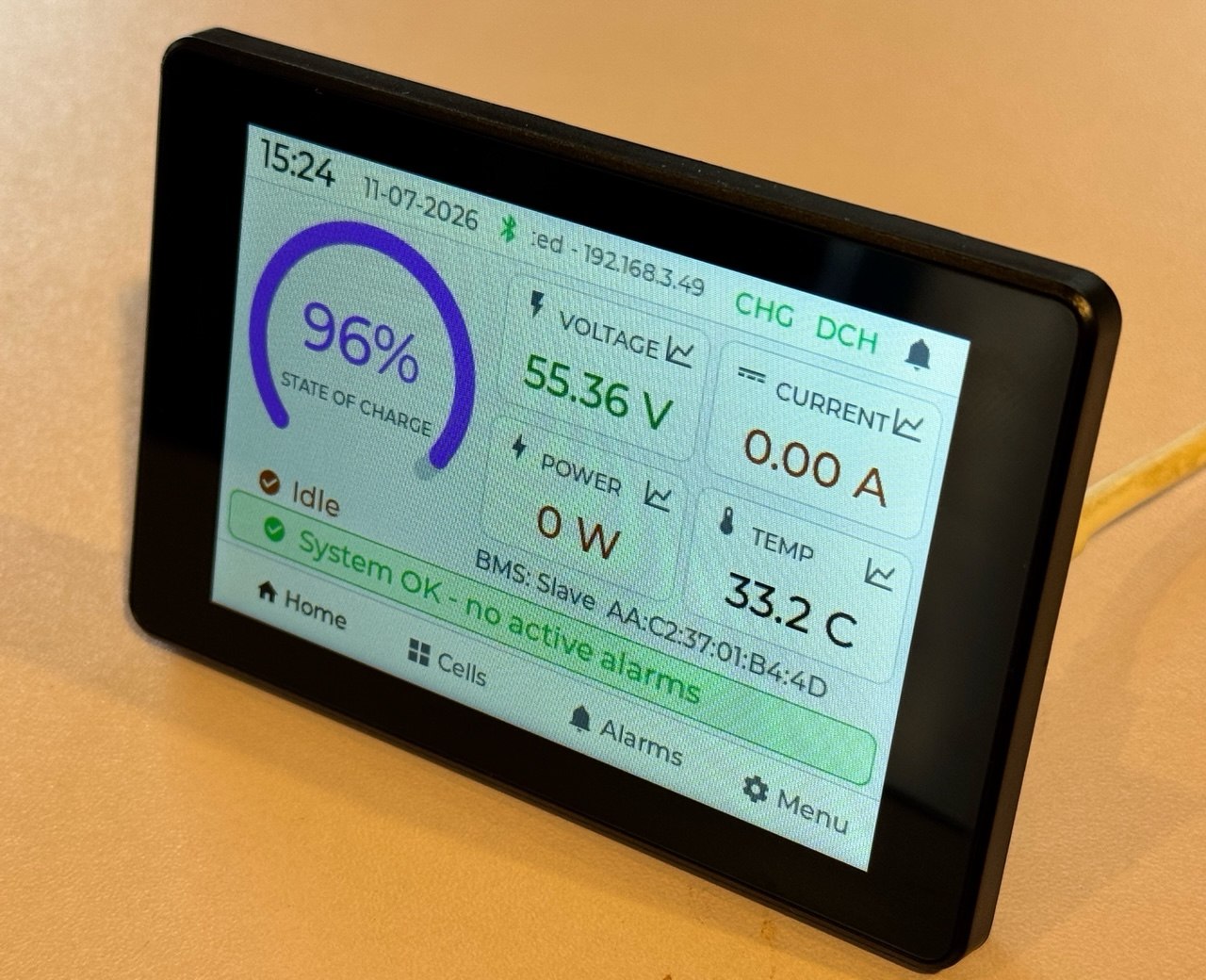
Smart battery monitor firmware
PowerView Firmware for Guition JC3248W535 screen
AegisNomad
€49.00 €29.00
Will it work with your battery?
✓ Compatible
- LiTime / Ampere Time
- Power Queen
- Redodo
- WattCycle
- Enjoybot
- Timeusb
- CHINS
…and any battery that shows live cell voltages, SOC and alarms in the Xiaoxiang / JBD or Overkill Solar BMS app.
✗ Not supported
- Daly
- JK (Jikong)
- Seplos
- Victron
- Renogy BT-2
- EcoFlow
- Bluetti
Closed systems — not supported unless they expose the JBD protocol.
Turn a 20 EUR touchscreen into a professional battery monitor. PowerView connects over Bluetooth to your JBD/Xiaoxiang BMS - no wiring, no soldering.
Compatible BMS and batteries
PowerView requires a JBD / Xiaoxiang Bluetooth Smart BMS. This BMS is commonly fitted in or offered with LiTime / Ampere Time, Power Queen, Redodo, WattCycle, Enjoybot, Timeusb, CHINS and similar LiFePO4 batteries. Battery brands can change internals without notice, so before buying confirm that your battery advertises a JBD/Xiaoxiang Bluetooth Smart BMS or appears in the Xiaoxiang/JBD app. It is not for Daly, JK, Seplos, Victron, Renogy BT-2, EcoFlow or Bluetti closed systems unless they expose the JBD protocol.
What you get on screen
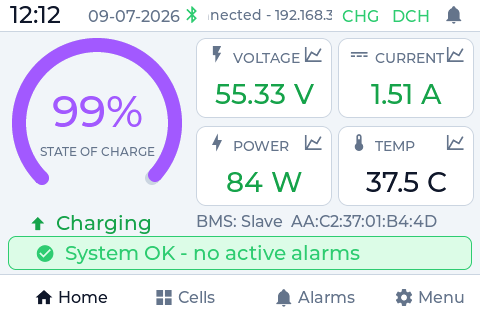
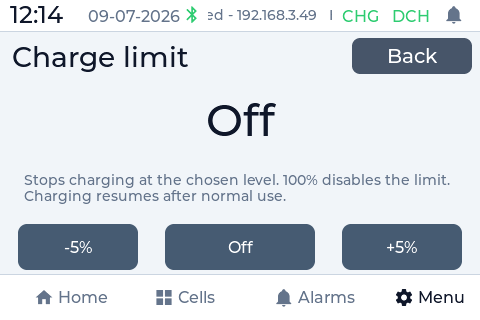
- State of charge, power, current and voltage at a glance
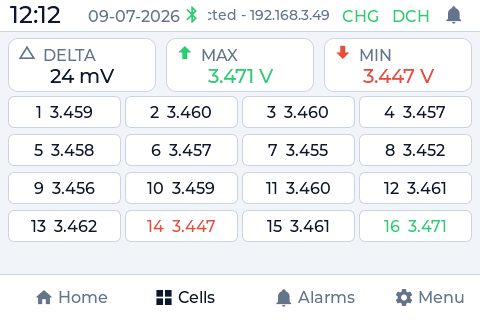
- Per-cell voltages with live balancing status
- 13 BMS protection alarms with a full-screen alert
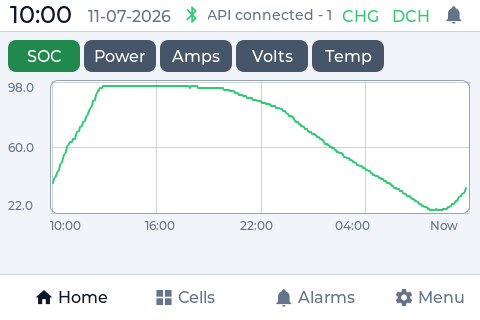
- 24-hour charts: SoC, power, amps, volts and temperature
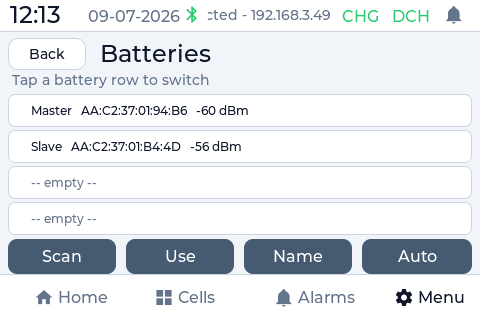
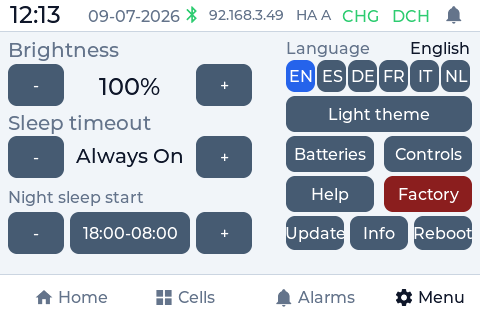
- Up to 4 batteries, switchable on screen - in 6 languages
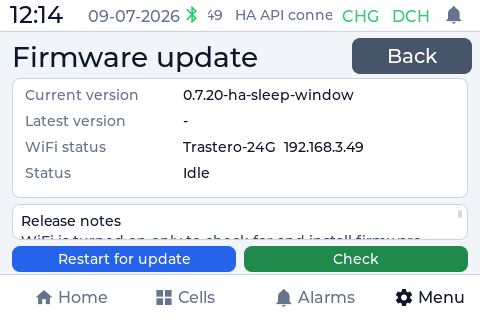
- Automatic over-the-air updates - install new firmware right from the screen, no cable or computer
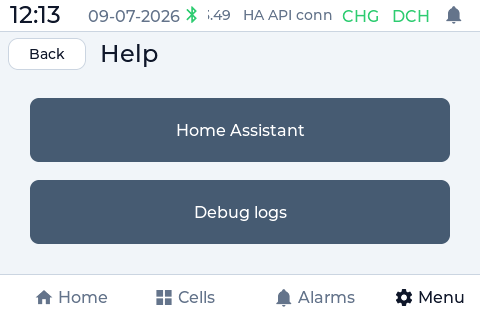
Make your battery smart with Home Assistant
In Home Assistant mode every BMS reading becomes an entity: automate on state of charge, get phone alerts when an alarm fires, and keep full history. Your Bluetooth battery becomes a smart battery - no extra hardware. Standalone mode works fully offline.
The hardware
Runs on the Guition JC3248W535, a 3.5-inch ESP32-S3 touchscreen (about 21 EUR): buy it on AliExpress. You flash it from your browser in 3 minutes.
Firmware downloads and the browser installer are protected for registered purchasers. Your purchase is a lifetime per-device license with official tested builds, 2 years of updates and email support. No subscription, no cloud.
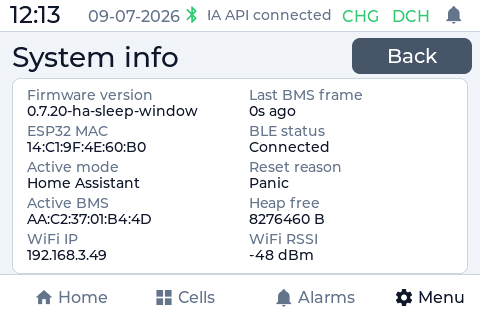
See it in action
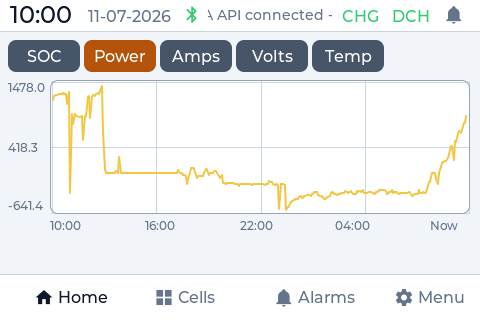
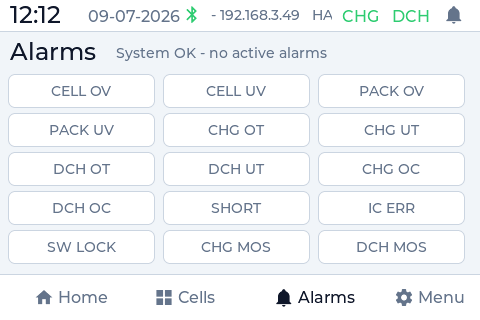
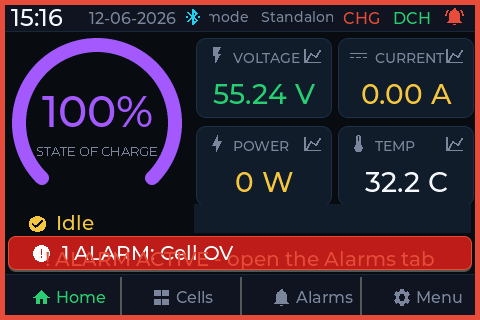
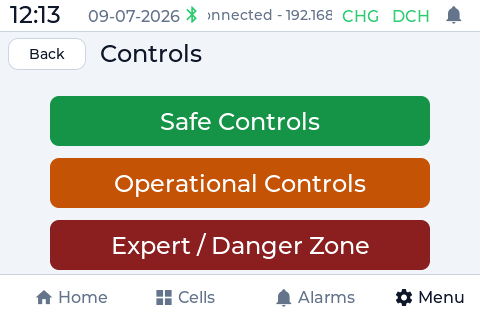
Built for Home Assistant
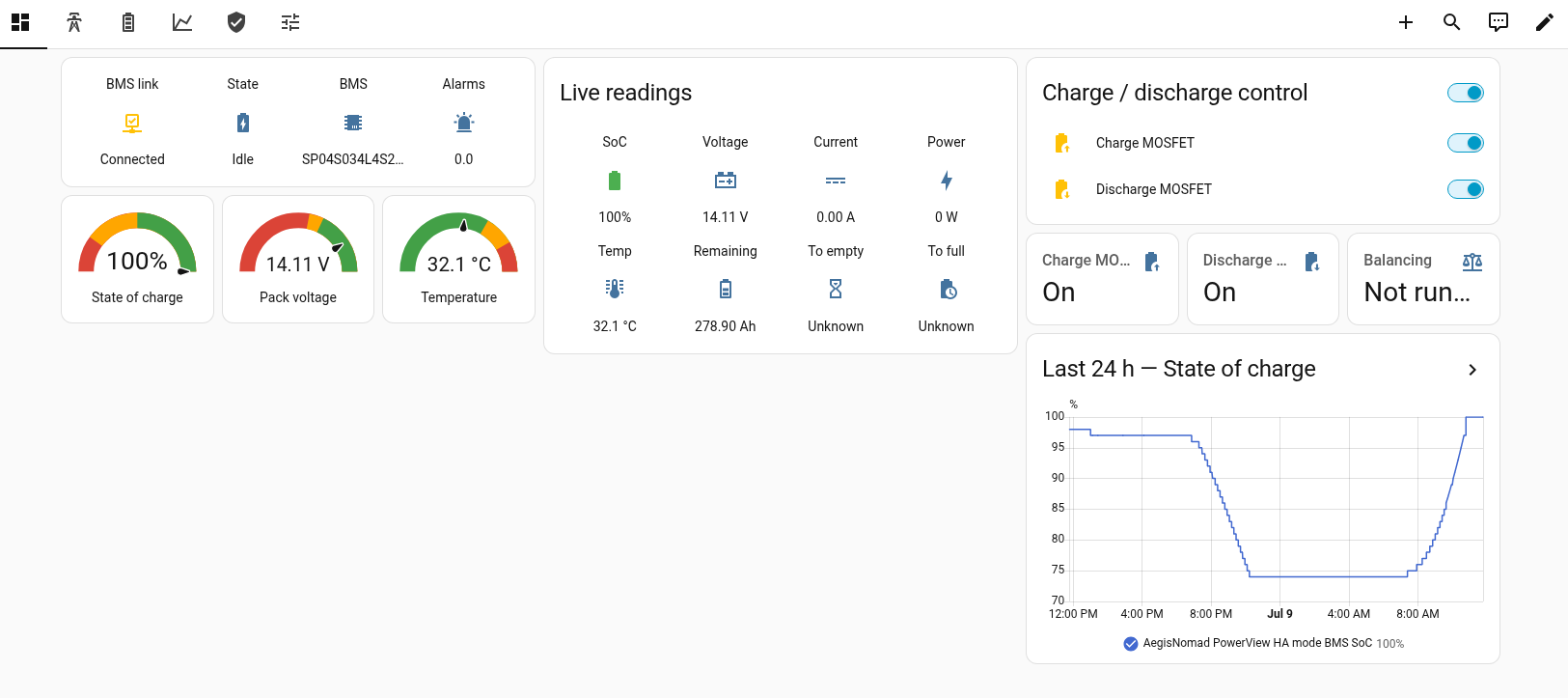
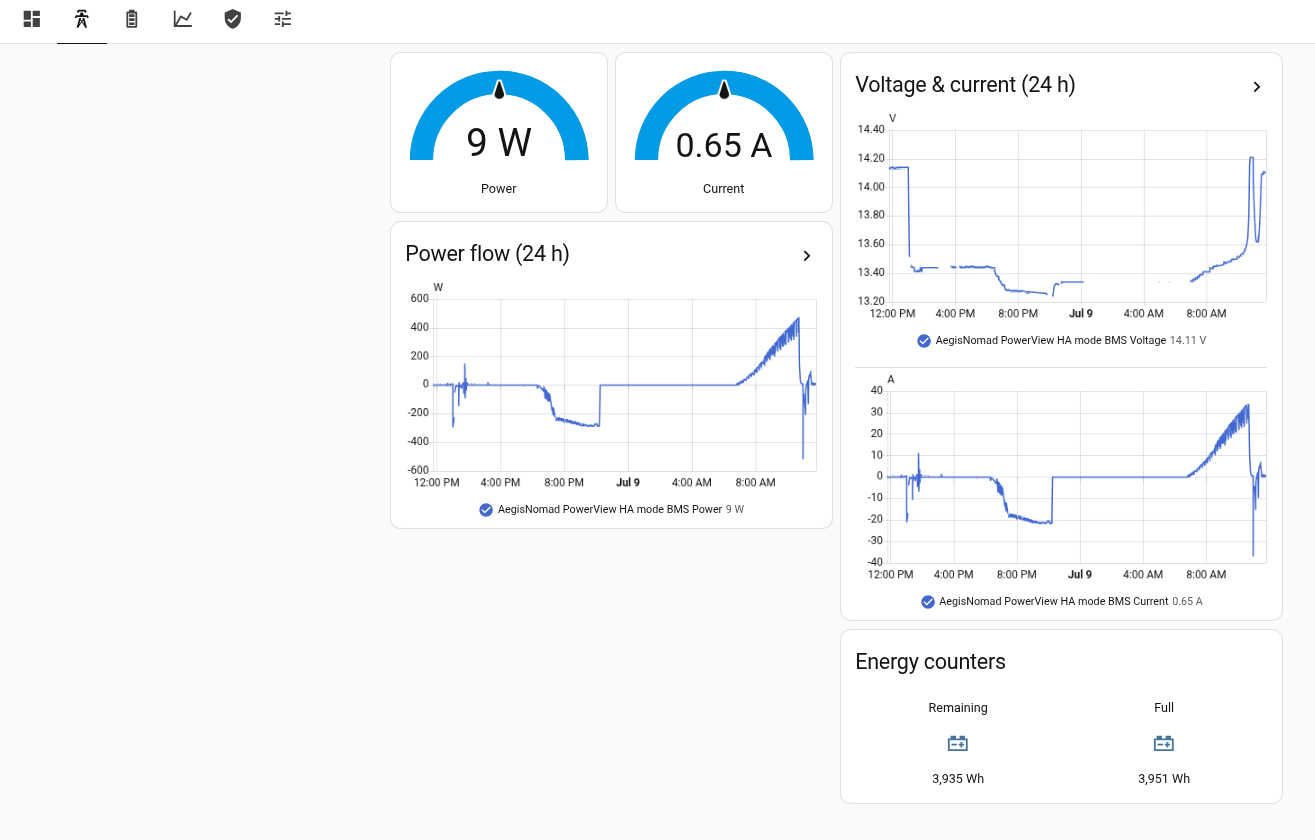
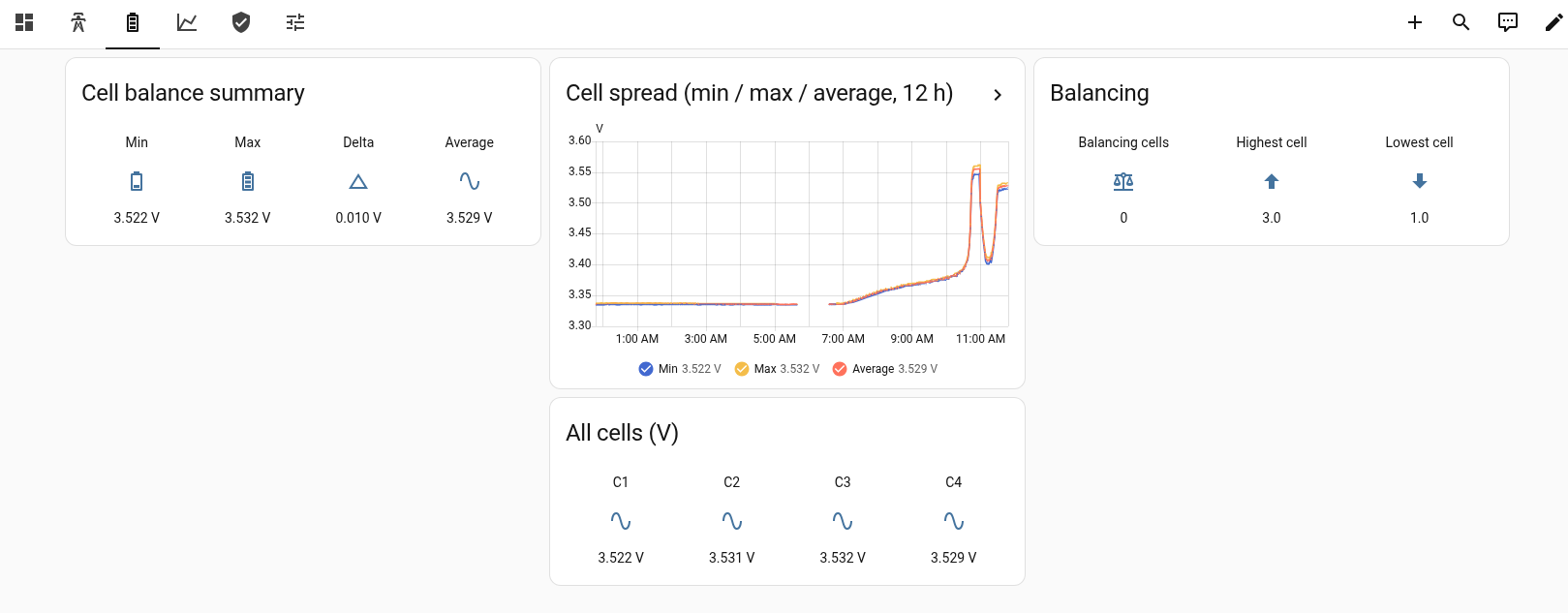
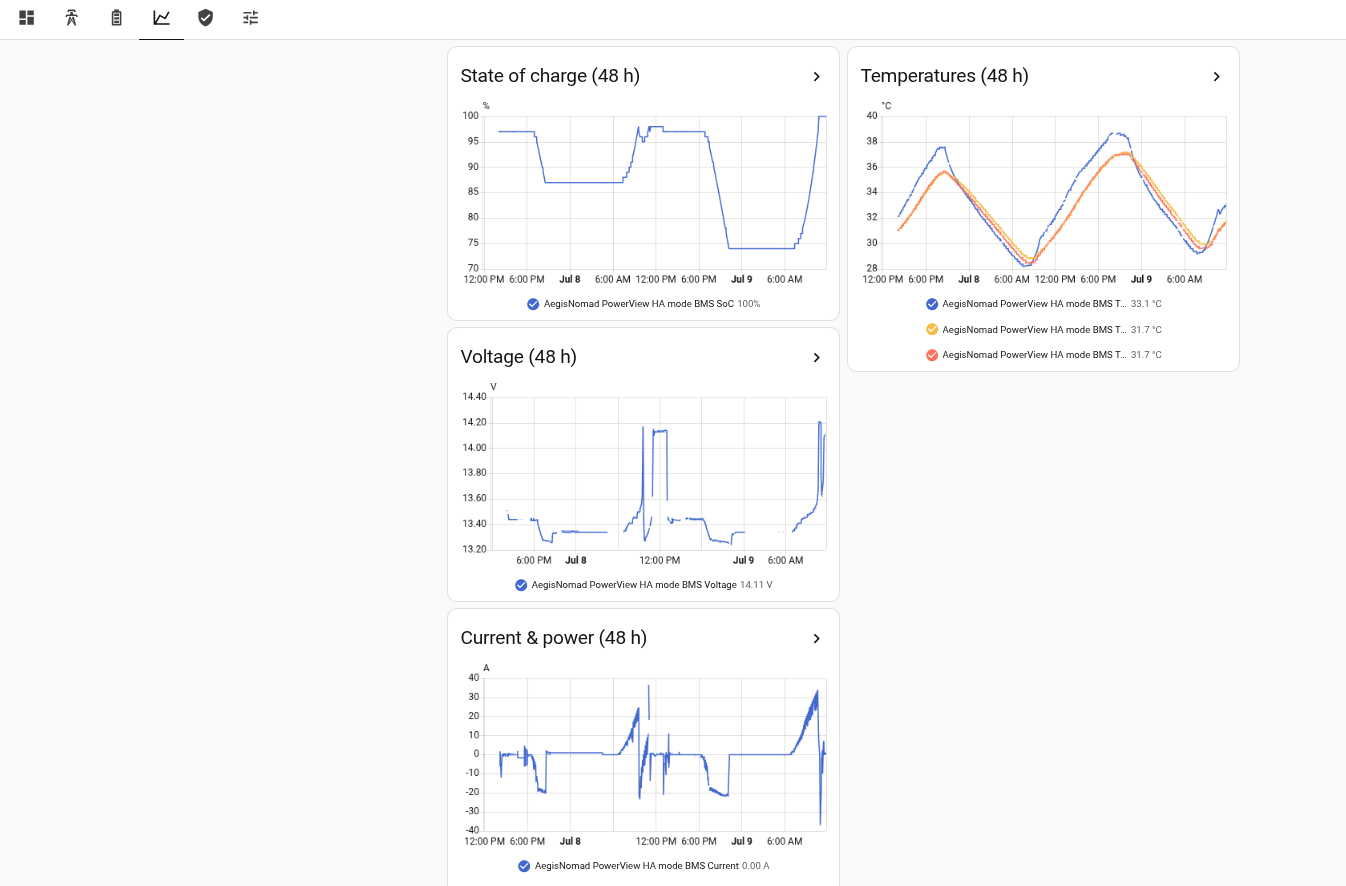
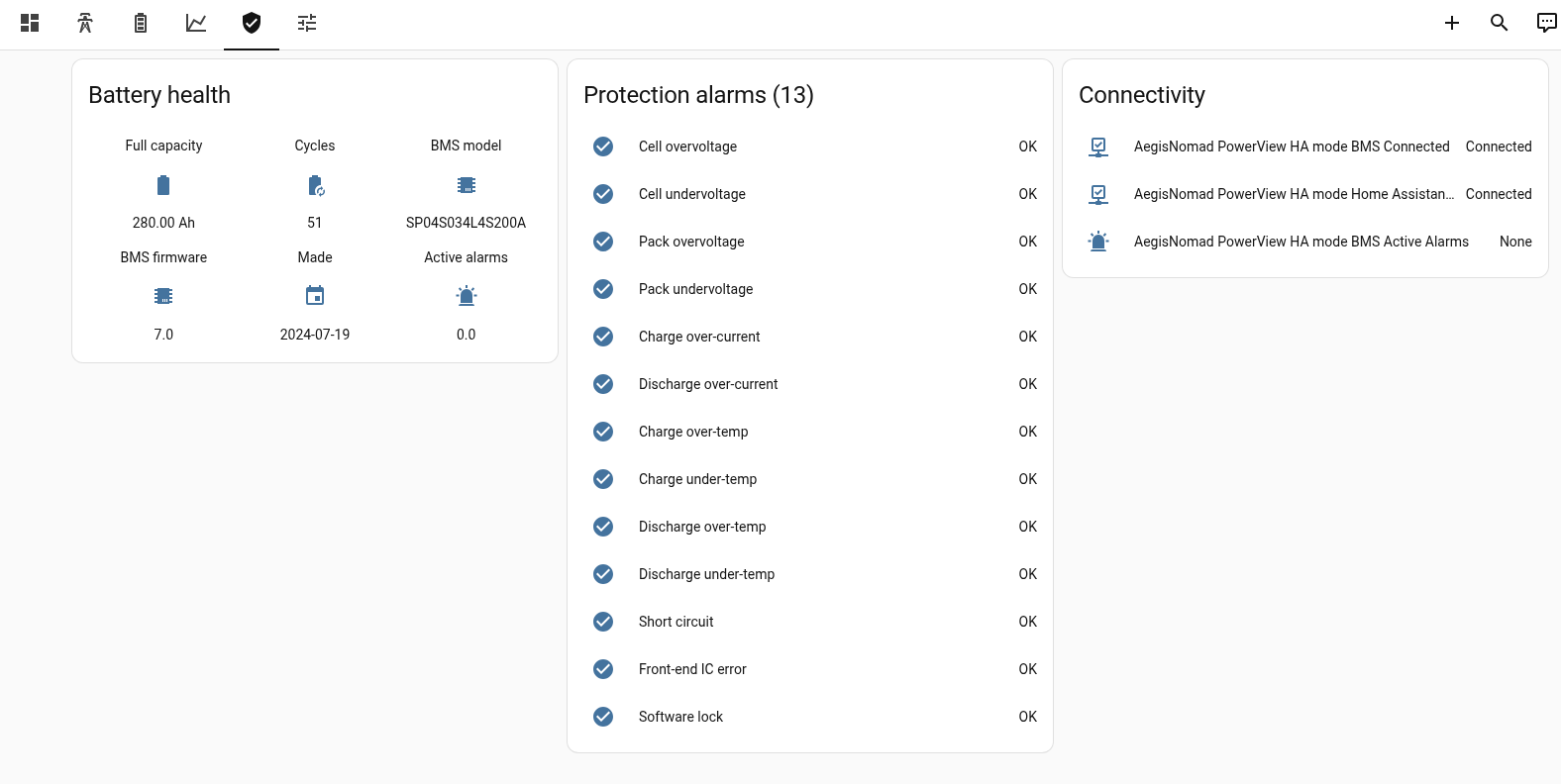
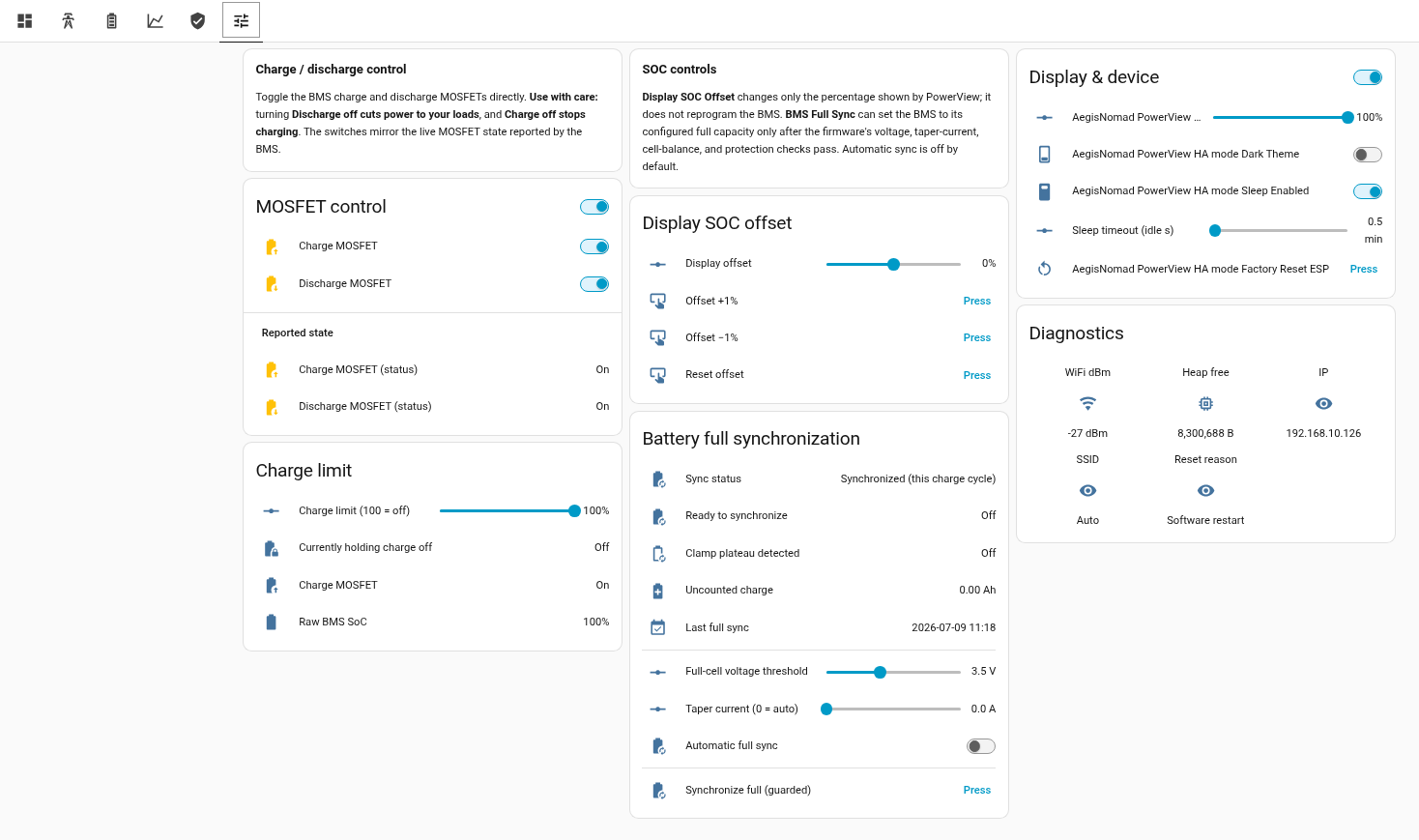
Switch to Home Assistant mode and every reading the BMS exposes flows straight into your smart home over Wi-Fi — no extra hub, no cloud, no wiring. PowerView is auto-discovered the moment it connects, so the entities just appear, ready to chart, automate and control.
- Zero-config setup. Choose Home Assistant mode on first boot and PowerView shows up automatically with dozens of sensors and live charge/discharge switches. No YAML, no integrations to install.
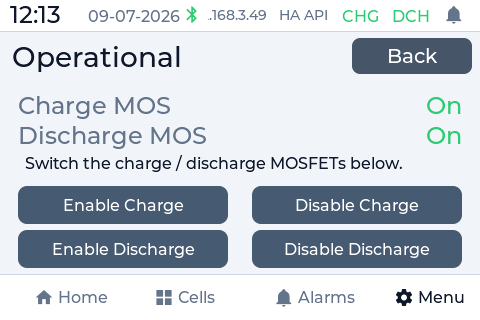
- Real control, not just monitoring. Toggle the battery's charge and discharge MOSFETs from any phone or tablet, and watch the dashboard mirror the BMS in real time.
- Automate your whole rig. Act on battery state — shed loads at low charge, start a generator, send alerts, or balance solar and shore power across your RV or home.
Frequently asked questions
Does it work without Home Assistant?
Will PowerView work with my battery?
PowerView is built for batteries with a JBD / Xiaoxiang Bluetooth Smart BMS. The best buyer check is simple: if the battery connects in the Xiaoxiang/JBD app or the Overkill Solar BMS app and you can see live battery values such as cell voltages, pack voltage, current, state of charge and alarms, the firmware should be compatible. Battery brands can change the BMS inside a model, so the app test is more reliable than the sticker on the case.
Which screen do I need to buy?
Which batteries and BMS are compatible?
Can it control charging, or only monitor?
How do I install the firmware?
How is the firmware delivered?
Can I test compatibility before buying?
Yes. If you want to confirm your battery before purchasing the full firmware, flash the demo build first and test it with your battery over Bluetooth. If the demo sees the BMS and shows live values, the licensed firmware uses the same battery communication path. If the demo cannot read your battery, do not buy until compatibility is confirmed.
What hardware do I need?
You need a Guition JC3248W535 ESP32-S3 3.5-inch touchscreen and a USB-C data cable for the first browser flash. The battery itself must expose a compatible JBD/Xiaoxiang Bluetooth BMS. The screen is not included with the firmware purchase.
Does it need Home Assistant?
No. Standalone mode reads the BMS directly over Bluetooth and works as a self-contained battery monitor. Home Assistant mode is optional: the screen still reads the battery locally, then exposes the values and controls to Home Assistant over your local Wi-Fi network.
What appears in Home Assistant?
PowerView exposes the battery as ESPHome-style entities: state of charge, voltage, current, power, temperatures, cell voltages, min/max/delta, balancing state, capacity, cycle count, BMS identity, protection alarms, diagnostics and safe controls where supported. These entities can be used in dashboards, automations, alerts and the Energy dashboard.
Is cloud access required?
No. Battery monitoring, Bluetooth communication and Home Assistant operation are local-first. Internet access is only useful for account licensing, support diagnostics when you choose to send them, and firmware updates.
Can it control charging and discharging?
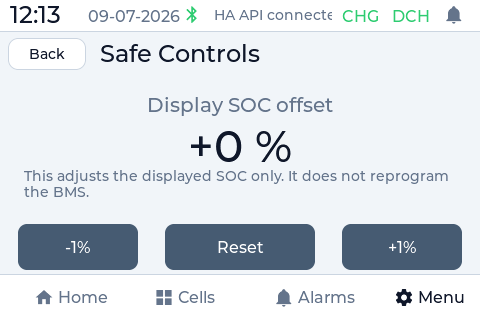
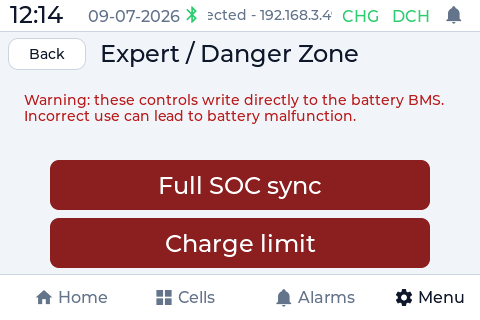
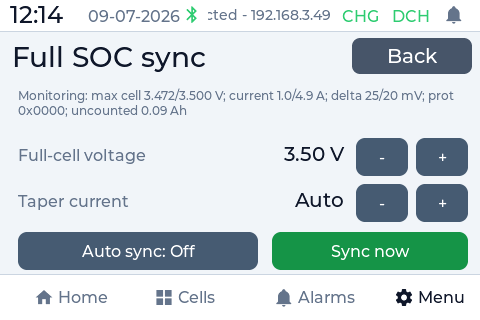
For supported JBD BMS profiles, PowerView can expose charge and discharge MOSFET controls and protection state. Dangerous write controls are deliberately guarded because not every BMS firmware behaves the same. Monitoring works broadly across compatible JBD packs; advanced write controls depend on verified BMS behavior.
What does the license include?
The purchase is a lifetime license for one registered PowerView device. It includes the protected browser installer, official tested builds, two years of firmware updates and email support. There is no subscription and no cloud dependency for normal operation.
Can I move the license to another screen?
The standard license is bound to one device. This prevents copying the commercial firmware to multiple screens. If a screen fails or you make a mistake during installation, contact support with the account and device details so it can be reviewed.
What is not supported?
Closed BMS ecosystems such as Daly, JK, Seplos, Victron SmartShunt/SmartBattery paths, Renogy BT-2, EcoFlow and Bluetti are not supported unless they expose the JBD/Xiaoxiang Bluetooth protocol that PowerView speaks. CAN, RS485 and proprietary cloud-only batteries are outside the current firmware scope.